Analytics preferences
Off by default. Private notes, source URLs, file names and account identifiers are not sent. You can change this setting here at any time.
Add accessible web pages or text you are allowed to use.
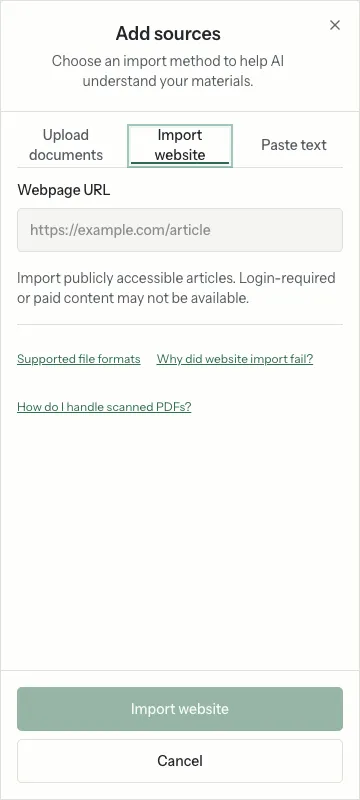
Open a notebook and choose Add sources → Website. Paste a full public HTTPS URL and submit it with Add Source. Wait for processing before using the source in questions.
Pages behind login, anti-bot checks, scripts or network restrictions may fail. Check the URL and the displayed error. Do not try to bypass access controls. If you can legitimately access and reuse the content, copy the relevant text instead.
Choose Add sources → Enter Text. Enter a useful title and paste the content, then choose Add Source. Check the resulting source and its processing status.
Include a heading, original page URL and relevant date in pasted text. This helps you distinguish versions; it does not independently verify the content.
Off by default. Private notes, source URLs, file names and account identifiers are not sent. You can change this setting here at any time.