14.6k Stars: Control Google NotebookLM with Python, Plug into Claude Code — What the Web UI Can't Do
- notebooklm ai
- notebooklm tutorial
- notebooklm
- notebooklm official
Google NotebookLM’s web app is fine for casual use. But once you need research pipelines, shell scripts, or AI agent workflows, you hit a wall: most actions require clicking through the UI, and batch work is painful.
notebooklm-py on GitHub ( 14.6k+ stars as of May 2026) fills that gap — a Python layer over NotebookLM that also plugs into Claude Code and similar agents.
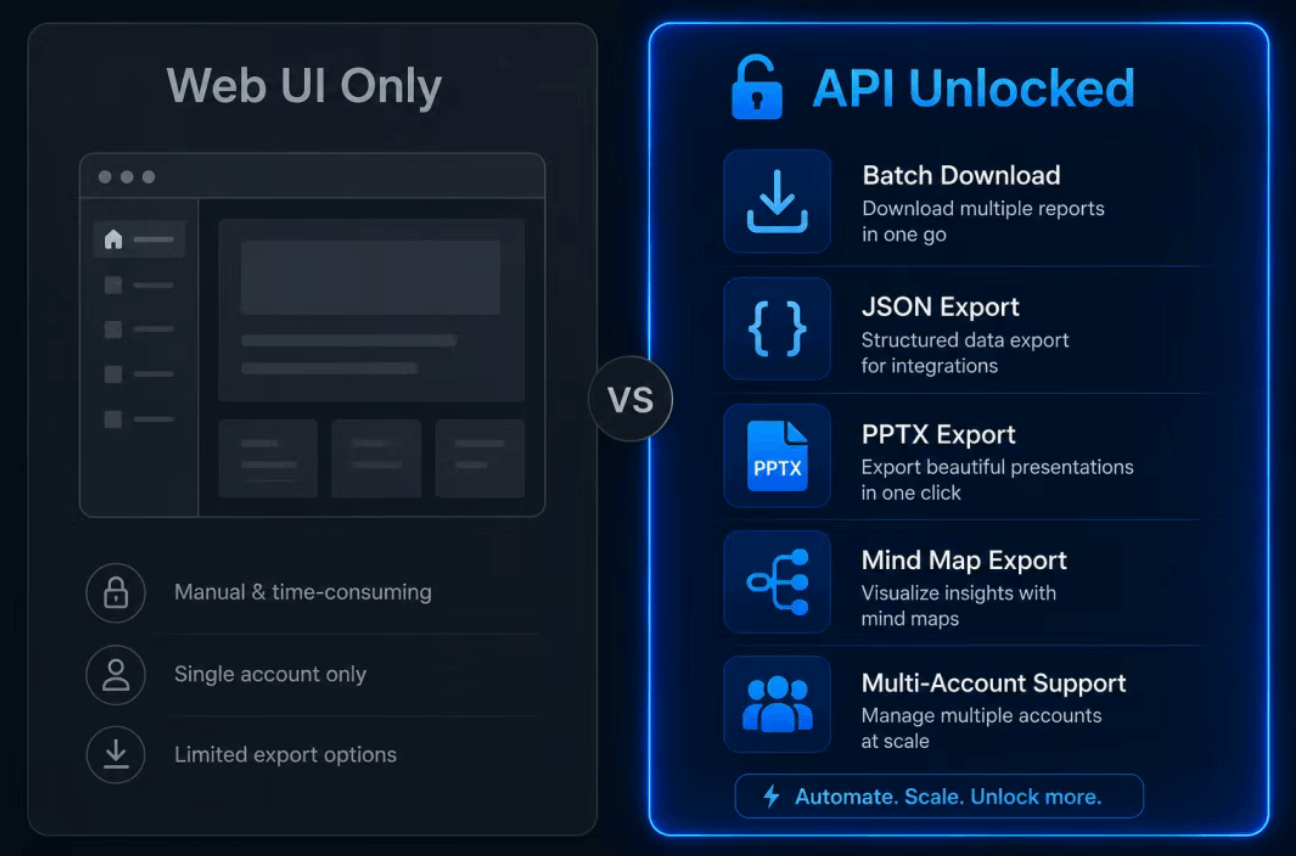
Where the NotebookLM Web UI Stops
NotebookLM lets you upload PDFs, URLs, and YouTube links, then chat and generate podcasts, slides, quizzes, and more. Search notebooklm tutorial and you’ll find plenty of getting-started content — but the official UI has clear limits:
- Batch import and download means clicking one item at a time
- Quizzes and flashcards are interactive only — no JSON or Markdown export
- Mind maps and data tables don’t expose structured data in the browser
- No native hook for Claude Code, Codex, or other coding agents
For occasional note-taking, the web app is enough. For pipelines, CI jobs, or “read 20 papers and generate quizzes,” you need a programmatic API.
What Is notebooklm-py?
notebooklm-py is a community-maintained unofficial Python SDK and CLI (MIT license). It reverse-engineers Google’s internal RPC to expose nearly all NotebookLM capabilities, plus features the web UI never shipped.
Disclaimer: Not affiliated with Google. Uses undocumented APIs that may break. Best for personal projects, research, and prototypes.
Three Ways to Use It
| Method | Best For |
|---|---|
| Python API | App integration, async pipelines, custom scripts |
| CLI | Shell scripts, quick tasks, CI/CD |
| Agent integration | Claude Code, Codex, OpenClaw, natural-language automation |
Features the Web UI Doesn’t Offer
| Capability | What You Get |
|---|---|
| Batch download | Pull all artifacts of a type at once (MP3, MP4, PDF, PNG, etc.) |
| Quiz / flashcard export | JSON, Markdown, HTML — not just the interactive view |
| Mind map JSON | Hierarchical data for D3, ECharts, or other tools |
| Data table CSV | Spreadsheet-ready exports |
| Slide deck PPTX | Editable PowerPoint, not PDF-only |
| Single-slide revision | Change one slide with a natural-language prompt |
| Save chat to notes | Persist Q&A or full conversations in the notebook |
| Source fulltext | Programmatic access to indexed source text |
| Multi-account profiles | Switch Google accounts without re-login |
| Browser cookie import | Reuse an existing browser session |
Generation coverage is broad: audio overviews (4 formats, 50+ languages), video (including cinematic), infographics, reports, quizzes, flashcards, mind maps, and data tables — often with finer controls than the website.
Quick Install
CLI / agent users:
pip install "notebooklm-py[browser]"
playwright install chromium
notebooklm login
notebooklm auth check --test --json
Library-only (ship a pre-acquired storage_state.json, no Chromium):
pip install notebooklm-py
See the project’s installation.md for full details.
CLI Walkthrough
notebooklm create "AI Research"
notebooklm use <notebook_id>
notebooklm source add "https://en.wikipedia.org/wiki/Artificial_intelligence"
notebooklm source add "./paper.pdf"
notebooklm ask "What are the key themes?"
notebooklm generate audio "make it engaging" --wait
notebooklm download audio ./podcast.mp3
notebooklm generate quiz --difficulty hard
notebooklm download quiz --format markdown ./quiz.md
Use --prompt-file for long prompts that exceed shell length limits.
Python API Example
import asyncio
from notebooklm import NotebookLMClient

async def main():
    async with await NotebookLMClient.from_storage() as client:
        nb = await client.notebooks.create("Research")
        await client.sources.add_url(nb.id, "https://example.com", wait=True)
        result = await client.chat.ask(nb.id, "Summarize this")
        print(result.answer)
        status = await client.artifacts.generate_quiz(nb.id)
        await client.artifacts.wait_for_completion(nb.id, status.task_id)
        await client.artifacts.download_quiz(nb.id, "quiz.json", output_format="json")

asyncio.run(main())
The async design fits well in larger asyncio workflows.
Claude Code Integration
The repo ships an Agent Skill. Two install paths:
notebooklm skill install
npx skills add teng-lin/notebooklm-py
After setup, you can tell Claude Code: “Add this PDF to NotebookLM, generate a hard quiz, and export Markdown” — the agent runs notebooklm CLI instead of making you click through the browser.
For developers building notebooklm ai workflows who still want full notebooklm official generation features, this is the smoothest path today.
Prefer not to set up a local environment?
Playwright, cookies, and API churn aren’t for everyone. If you want to focus on upload → ask → generate without installing anything, use our online NotebookLM experience:
Summary
notebooklm-py turns NotebookLM from a click-only web tool into a scriptable, agent-ready knowledge engine. 14.6k stars reflect real demand: researchers batch-exporting quizzes, creators piping podcast generation into pipelines, developers driving imports and downloads from Claude Code in one sentence.
Keep the web UI for light daily use; reach for Python + CLI + agents when you need automation and exports the browser never offered.
Project: github.com/teng-lin/notebooklm-py